
How to Run a Karate and Martial Arts Tournament: From Registration List to Results on the Big Screen
Hundreds of athletes, dozens of categories, several mats, and parents at the table asking "when is my son fighting?". Here's how to prepare a karate, judo, or taekwondo tournament step by step: registration import, draws without same-club bouts, scheduling, scoreboards, certificates, and online results.
 Redakcja TG
Contents
- A karate tournament starts with categories
- 1. Karate tournament registration: don’t retype lists by hand
- 2. The draw: athletes from the same club shouldn’t face each other early
- 3. Scheduling: plan the mats before athletes enter the hall
- 4. Scoring at the mat: a tablet instead of paper
- 5. The big screen: what to show the audience
- 6. Live streaming a karate tournament without a production crew
- 7. Certificates: don’t fill them in by hand
- 8. After the tournament: results and medal standings
- Common mistakes when organizing a competition
- Proven at major karate events
- Checklist: running a karate tournament step by step
- Frequently asked questions
A karate tournament, or any martial arts tournament, is a logistics job on a completely different scale than a regular team event. Instead of a dozen teams, you often have several hundred athletes, dozens of age, weight, and rank categories, several mats running in parallel, and a hall full of parents who want to know when their child is up. In this guide we walk through the whole process, from collecting registrations to publishing results, and show where organizers lose the most time.
The guide focuses on karate, but the same steps work for judo, taekwondo, kickboxing, MMA, and Brazilian jiu-jitsu competitions.
A karate tournament starts with categories
Before you collect the first registration, define in your rules which categories you will run. Everything else depends on them: the number of brackets, how long the event lasts, and how many mats you need. A typical karate tournament splits athletes by:
- event: kata (forms) and kumite (sparring), sometimes team events as well,
- age: birth years or age groups, especially important in youth tournaments,
- gender,
- weight: usually in kumite for older athletes,
- rank: for example, separate categories for beginners and for athletes with higher kyu or dan grades.
The more criteria you use, the more even the bouts, but also the more small categories you get. A category with one or two athletes is a problem, so it’s worth stating in the rules up front when categories will be merged.
1. Karate tournament registration: don’t retype lists by hand
The first trap is copying registrations from emails and club spreadsheets into one list. With several hundred names, that’s hours of work and guaranteed typos, and every mistake in a birth year or weight puts an athlete in the wrong category.
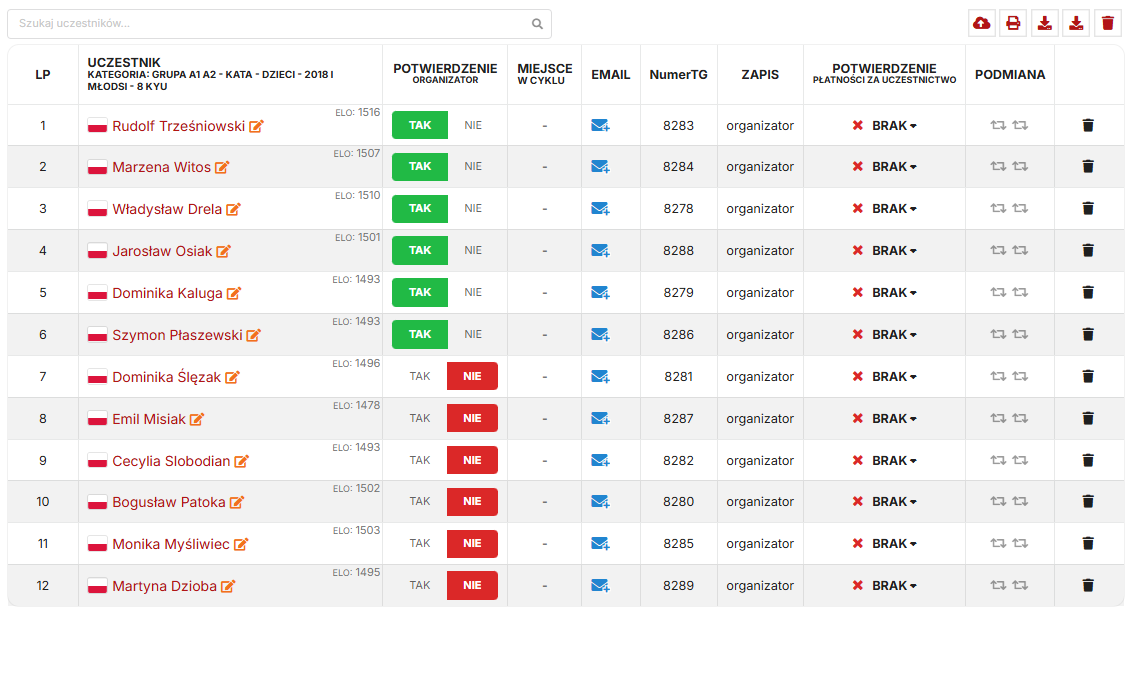
It’s much better to collect registrations in one fixed format, ideally the federation spreadsheet clubs already use, and import it in one go. In Turniej Generator, you upload an Excel file (XLS / XLSX), and the system:
- automatically creates categories based on the data in the file,
- adds the full list of athletes at once, with no one-by-one entry,
- lets you check attendance before each category starts, so athletes who didn’t show up are left out of the bracket.
2. The draw: athletes from the same club shouldn’t face each other early
In martial arts, the draw has one rule coaches always ask about: athletes from the same club must not meet in the first round. A club that brought five athletes to one category wants them to compete against others, not knock each other out in the first bout.
With a manual draw, you have to check this in every category separately, and when a karate tournament has dozens of categories, mistakes are easy. The draw algorithm in TG places athletes so that same-club bouts are avoided in the early rounds and generates the brackets right away. Coaches see them online, so they don’t have to line up at the officials’ table. If you want to understand how byes and seeding work, read our guide Tournament Bracket: How to Make One Step by Step.
3. Scheduling: plan the mats before athletes enter the hall
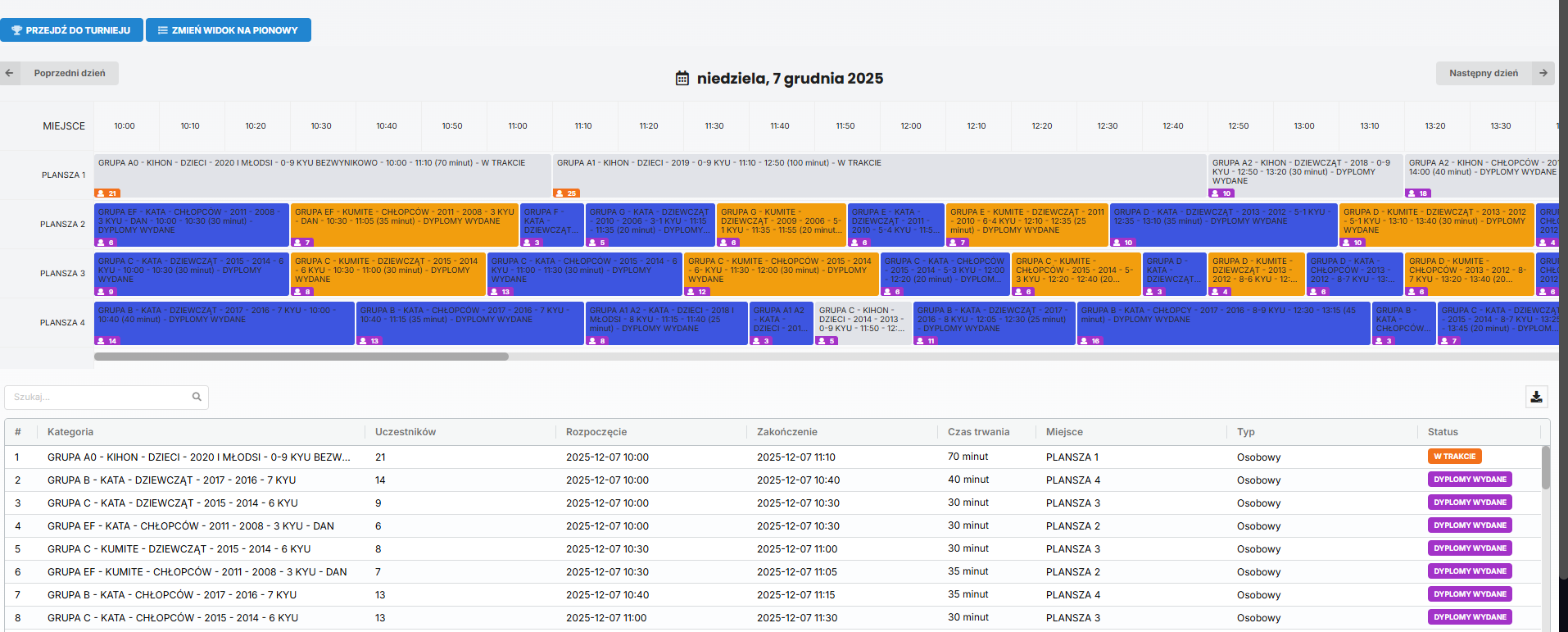
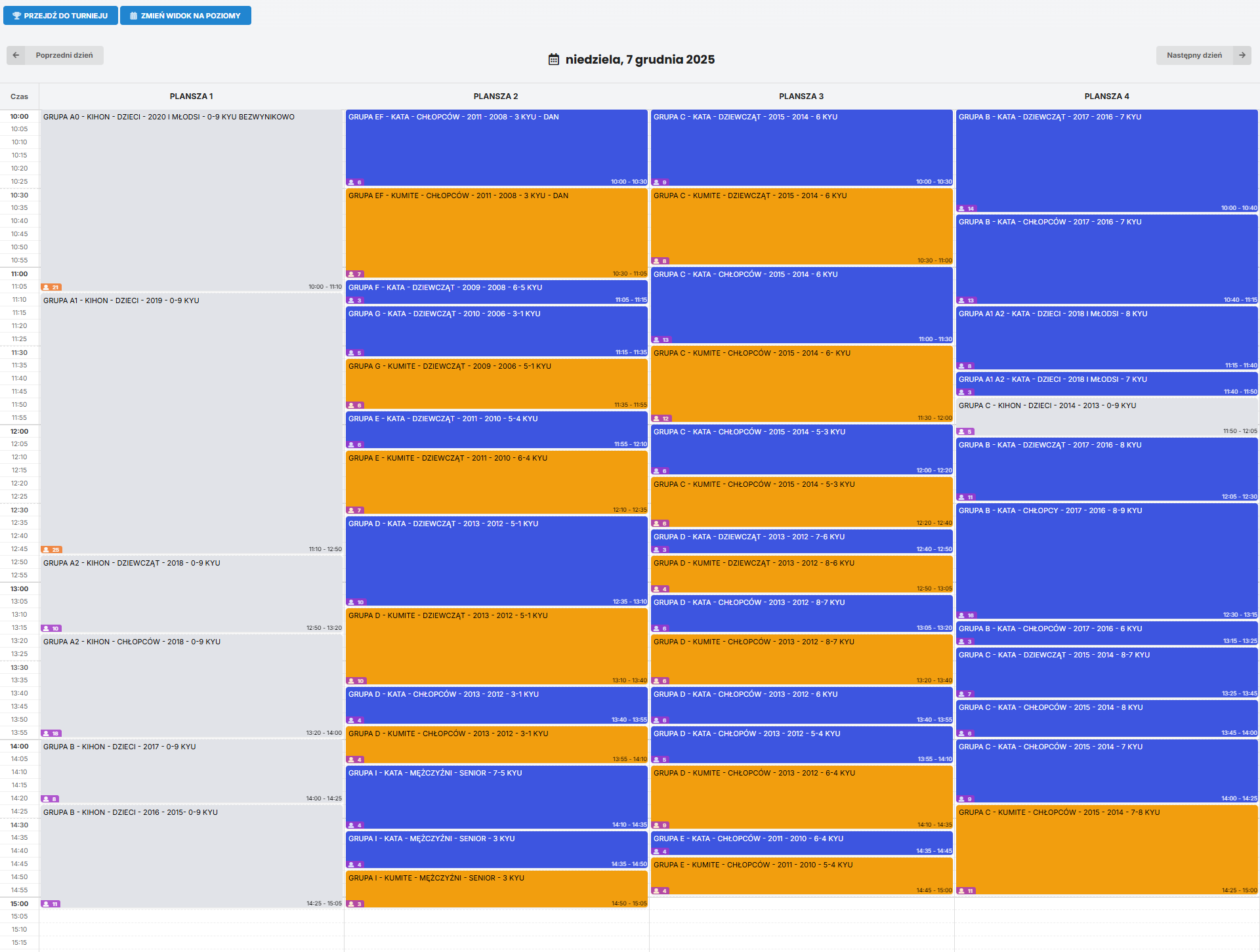
The most common complaint at competitions is waiting: an athlete warmed up at 9:00 fights at 2:00 PM. This happens when categories are assigned to mats on the fly, without first estimating how long each one will take.
A good schedule accounts for the number of bouts in each category, bout duration, and breaks between them. The planning module in TG calculates how long each event will take and builds the plan the whole karate tournament follows. You can then adjust it by hand, for example by moving the youngest categories to the morning, and athletes and parents check it live on their phones by scanning a QR code in the hall.
4. Scoring at the mat: a tablet instead of paper
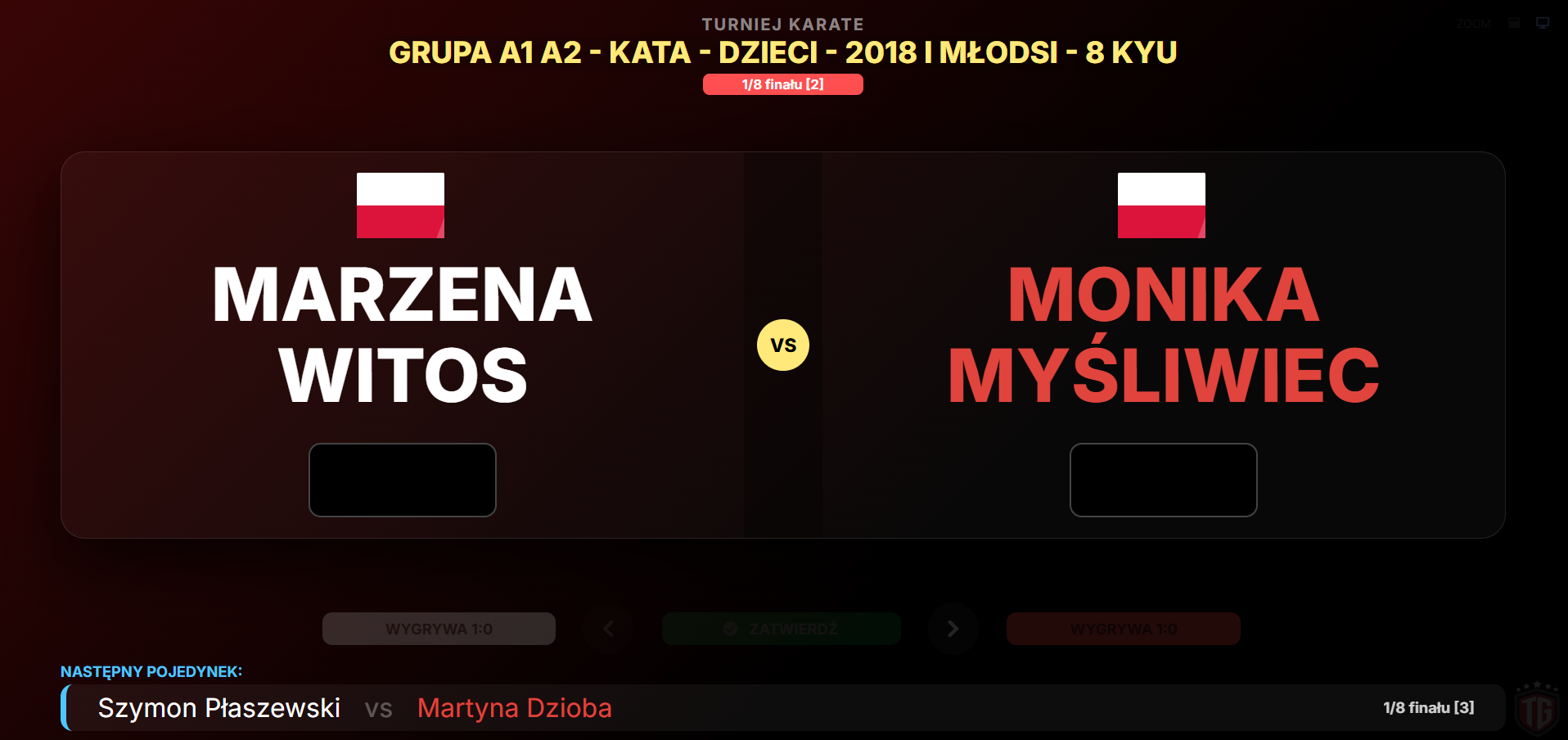
Paper score sheets carried from the mat to the tournament office are another source of delays and mistakes. All you need is a tablet or laptop at each mat: the table official enters the points, and the result goes straight to the bracket, the big screen, and the phones of coaches and parents.
- Table official view: a simplified panel for fast score entry.
- Extra screens for spectators: a bout scoreboard visible to the audience.
- Sync with a central database: all mats save results in one place.
5. The big screen: what to show the audience
A big screen in the hall is more than decoration. A well-designed screen answers the questions spectators would otherwise ask your staff. This layout works well:
- Top bar: the category currently on each mat and the number of bouts left.
- Center: a looping video, such as highlights from last year’s edition.
- Bottom bar: tournament sponsor logos.
- QR code in the corner: links straight to live results.
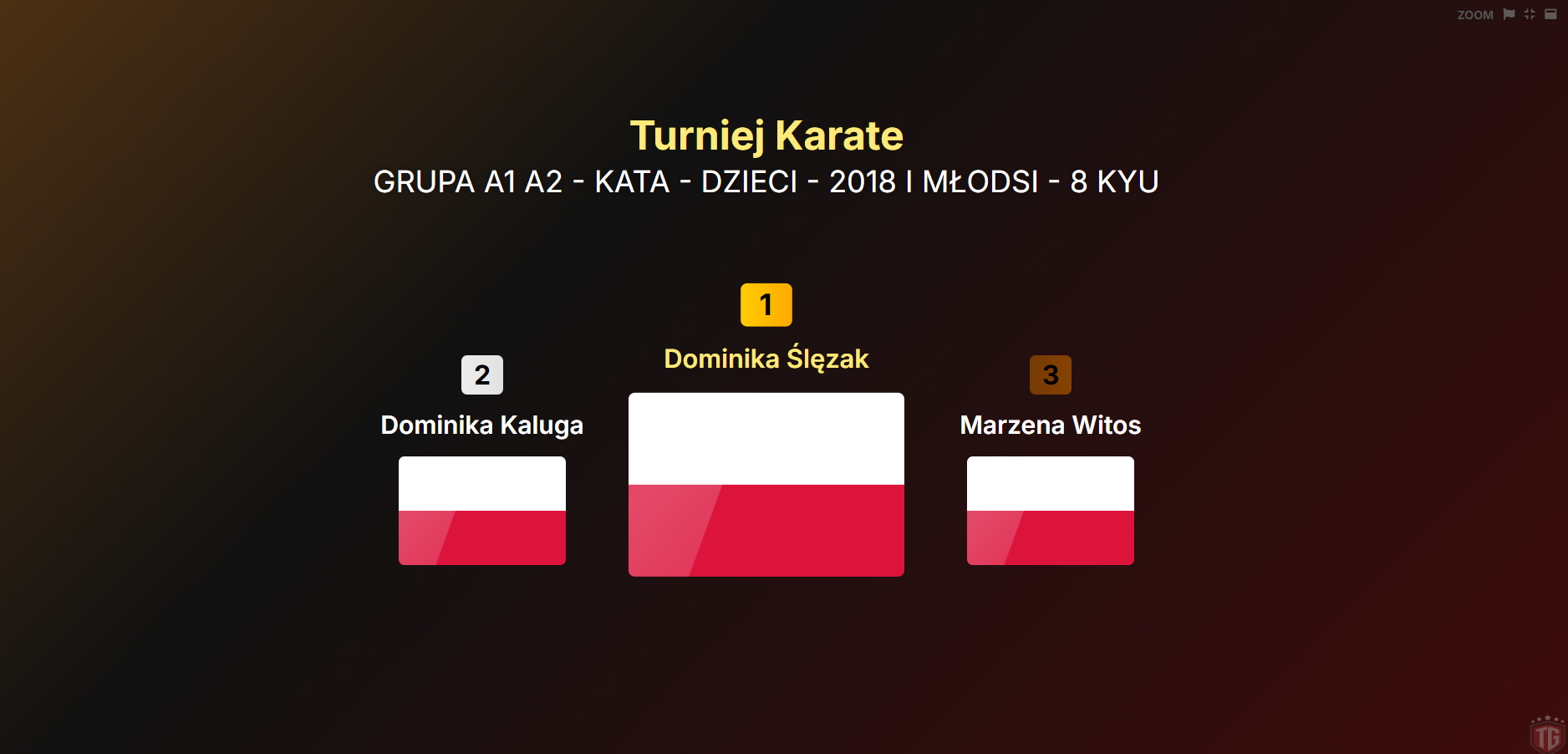
When a category ends, the same screen can show the podium with the athletes’ club logos.
6. Live streaming a karate tournament without a production crew
Not every parent can make it to the competition. You don’t need a production truck or expensive gear to stream: a phone, the TGapp Stream app, and stream keys generated in the tournament panel are enough. Parents, clubs, and fans watch the bouts in real time. You’ll find the details on the TGapp Stream page.
7. Certificates: don’t fill them in by hand
A large karate tournament means hundreds of certificates, and you hand them out right after each category ends. Writing them by hand ties up one staff member for the entire day. In TG, certificates are generated automatically from the results, and you can:
- print athlete details onto pre-printed certificate templates,
- print the full certificate including the design,
- adjust fonts and layout to match your certificate design.

8. After the tournament: results and medal standings
The last question an organizer gets is: “Which club won?”. Counting medals by hand after a full day of competition is the last thing you have energy for. The system prepares a medal summary for every club on its own and, when the karate tournament is international, also standings by country. Results and final tables for all categories, as well as each summary, have their own link, so you can send them to coaches or publish them on your club website.
Common mistakes when organizing a competition
- No single registration template: every club sends its list in a different format, and someone has to standardize them by hand.
- A draw that doesn’t separate clubs: teammates eliminate each other in the first bout, and coaches rightly complain.
- A schedule with no buffer: one delay on a mat pushes back every category after it.
- Results only on paper at the table: a line of parents and coaches forms at the officials’ table.
- Certificates prepared on competition day: award ceremonies run late and athletes wait at the podium.
Proven at major karate events
Turniej Generator is used within the Polish Traditional Karate Federation (PZKT) to run karate competitions, including:
- the Polish Traditional Karate Championships,
- the National Children’s Traditional Karate Cup,
- regional championships,
- the Kraków International Traditional Karate Cup, with clubs from 14 countries.
You can see sample competitions on the karate.tg-app.pl portal.
Checklist: running a karate tournament step by step
- Define categories and the rules for merging small categories.
- Set the registration format and send clubs a single spreadsheet template.
- Import registrations and check that categories were created correctly.
- Verify attendance before the draw for each category.
- Draw the brackets, separating athletes from the same club.
- Build the mat schedule and share it via QR code.
- Set up officials’ stations: a tablet or laptop at every mat.
- Configure the big screen: bars, video, sponsors, QR code.
- Prepare certificate templates before competition day.
- After the tournament, send out links to results and medal standings.
You can run this entire process, from importing registrations to medal standings, in one place, whether you’re organizing a club karate tournament for kids or a championship with athletes from several countries. See how it works and check the martial arts tournament pricing.
Frequently asked questions
Where do I start if this is my first karate tournament?
With the rules: categories, how categories get merged, and the registration deadline. Only once you know how many categories you’ll run can you plan the number of mats, officials, and how long the event will last.
Is the system only for karate tournaments?
No. The same tools work for judo, taekwondo, kickboxing, MMA, Brazilian jiu-jitsu, and other martial arts where athletes compete in categories in a knockout format.
How do I import athletes from an Excel file?
You upload an XLS or XLSX spreadsheet with the registration list, and the system creates categories and adds athletes automatically. Our YouTube video shows it step by step.
How do I avoid bouts between athletes from the same club?
During the draw, athletes from the same club are placed in different parts of the bracket so they can’t meet in the first round. In TG, the draw algorithm does this automatically in every category.
Can parents follow results on their phones?
Yes. The schedule, brackets, and results are available online: just scan the QR code in the hall or on the big screen. After the karate tournament ends, the results stay available at a permanent link.