League Management Software: an Online App for Fixtures, Standings, Statistics and Referee Assignments
Looking for league management software or a league app? See what a good league system should have (fixtures, standings, stats, scoresheets, referee assignments, and a website widget) and look at the basketball and table tennis leagues already running in Turniej Generator.
 Redakcja TG

Contents
- Spreadsheet vs. league management software
- What should good league management software have?
- The league management system in Turniej Generator
- Leagues already running on the Turniej Generator league management app
- Moving your league from a spreadsheet to league management software in 5 steps
- Tools that save the most time
- Frequently asked questions
A league run in a spreadsheet works until the first rescheduled match, the first broken formula in the table, or the first question: “where can I see the stats?”. In this post we explain what good league management software should have, how it differs from a spreadsheet, and what it can do for you. We also show basketball and table tennis leagues that run their seasons in Turniej Generator (tg-app.pl), a league management app that works in the browser.
Spreadsheet vs. league management software
| Task | Spreadsheet | League software |
|---|---|---|
| Fixtures | by hand, easy to create clashes | generated automatically, with venues and times |
| Standings | formulas you have to watch | updated after every result, with team form |
| Results from teams | by email or text | result entry panel |
| Player statistics | a separate sheet | linked to each match, season-long rankings |
| Referees | calls and messages | assignments shown on each game |
| Publishing | export, screenshot, PDF | league website and widget, always up to date |
What should good league management software have?
- Individual and team leagues: the same system for table tennis, basketball, and football leagues.
- Several divisions: for example Division 1 and 2 or age groups, with promotion and relegation.
- Competition mode: a single round or home and away.
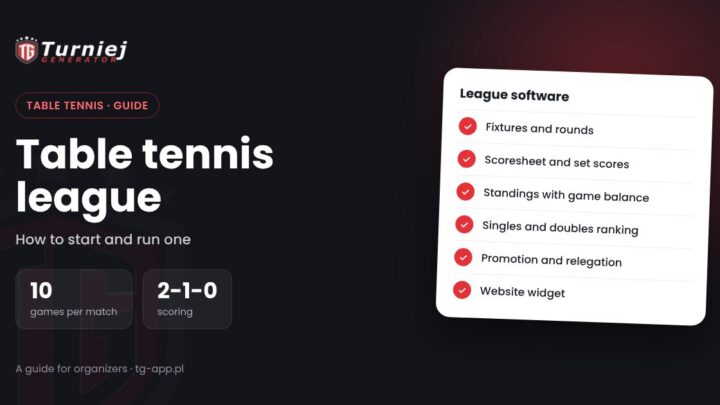
- Your own match format: for example the number of games and the singles and doubles layout in a table tennis league.
- Team rosters: players assigned to a team and a lineup for each match.
- Player statistics: goals, points, assists, cards, and more, linked to a specific match and added up into season rankings.
- Scoresheets and referees: a scoresheet attached to each match and the referee crew.
- A league website and widget: results, standings, and stats for players and fans, including on your club website.
The league management system in Turniej Generator
The Turniej Generator league system meets all of these requirements and adds tools that take work off the organizer during the season:
- Full control over your competition: leagues for individual players and teams, several competitions in one place.
- Competition modes: single match or home and away, with promotion and relegation places marked.
- A configurable match format: you set the number of games and the singles and doubles layout in the league settings.
- Team and player management: rosters assigned to teams and to every match.
- Player statistics: any statistics linked to a match, season rankings, and MVP of the round.
- Stats imported from FIBA scoresheets: a full basketball game stats page without retyping.
- Referee assignments: a referee panel with the crew for every game and missing assignments marked.
- Scoresheets and streams: the scoresheet and a stream link on every game.
- A dedicated league website and widget: embed the league system on your club, league, or federation website.
Leagues already running on the Turniej Generator league management app
| League | Sport | Scale | What it uses |
|---|---|---|---|
| Kadet Basket Liga 2025/26 (Oświęcim, Poland) | 5×5 basketball | 6 competitions, 32 teams | widget on the league website, FIBA scoresheet stats, referee assignments, MVP of the round |
| BBALTS 2026 (Bielsko-Biała, Poland) | table tennis | 2 divisions, 23 teams | league widget, match details from scoresheets, singles and doubles rankings, cross table |
Both leagues show their whole season on their own websites through the widget: the organizer embedded it once, and standings, results, and stats update themselves. For a step-by-step guide to starting a league in a specific sport, see how to start and run a table tennis league.
Moving your league from a spreadsheet to league management software in 5 steps
Switching tools mid-season sounds daunting, but in practice it’s one evening of work. It’s best done between rounds:
- Prepare the list of teams and players: names, rosters, captains’ contact details. You already have this data in your spreadsheet.
- Set the league format: number of rounds (single or home and away), points for a win, draw, and loss, the promotion and relegation places, and the match format if needed.
- Generate the fixtures: the software builds the rounds so every team plays every other team (a classic round-robin format). Then you just adjust dates and venues.
- Enter matches already played: if you switch mid-season, add the results so far and the table recalculates itself.
- Share the link with participants: the league website or a widget on your club site. From then on, everyone looks at one place, and you can archive the spreadsheet.
Organizers’ most common worry is “the teams won’t get used to it”. In practice it’s the opposite: players quickly appreciate standings and stats that are up to date right after the game and available on their phone, instead of waiting for a screenshot of the spreadsheet posted to the group chat on Sunday night.
Tools that save the most time
- Result panel for teams: teams enter results themselves, and you just approve them.
- Referee assignments: officiating appointments confirmed by email.
- FIBA scoresheet statistics: basketball games with stats and no retyping.
- AI match report analysis: statistics read automatically from a photo or PDF of the match report.
- Match calendar: reschedule games with drag and drop.
If you’re just planning your season, start with our guide on how to run an amateur league, which covers the number of rounds, scoring, forfeits, promotion, and relegation.
Looking for a league management app? Email us at kontakt@tg-app.pl and we’ll help you set up your competition, move an ongoing season, and embed the widget on your website.
Running one-day events as well as a league? See what to look for in tournament software.
Frequently asked questions
Which league management app works for an amateur league?
One that generates fixtures, updates the standings after every result, tracks player stats, and lets you publish the league on your club website. Turniej Generator does all of that and adds a results panel for teams, referee assignments, and a league widget.
Can I run an individual league, for example a tennis league?
Yes. The league system supports both individual and team leagues.
Can I set my own match format?
Yes. In the league settings you can set, among other things, the number of games per match and the singles and doubles layout, as the BBALTS table tennis league does.
Does the league management software handle referee assignments?
Yes. In the referee panel you assign referees and table officials to games, and the crew is shown on every game.
Can I embed the league table on my club website?
Yes. You can embed the league widget on any site where you can paste HTML code, as Kadet Basket Liga and BBALTS do.
Can a league have several divisions?
Yes. You can run several leagues or divisions at once and mark promotion and relegation places in the table.